How Atlanta’s Fastest-Growing Companies Manage IT Without Slowing Down
There is a specific moment in every fast-growing company's journey when IT stops being infrastructure and starts being a constraint. It usually arrives quietly:
- a new hire can't work on Day 1;
- a security audit surfaces credentials belonging to someone who left 8 months ago; or
- a finance review shows you're paying for 40 software licenses nobody is using.
By the time those symptoms appear, the underlying problem has been compounding for a while. Growth put pressure on IT processes designed for a smaller, more informal organization, and the processes didn't adapt fast enough.
We’ve seen this from both sides. As an Atlanta-based managed IT company named to the Inc. 5000 two consecutive years, Montra has lived the growth challenges we help our clients navigate. Here are the four IT problems that most reliably surface during rapid business growth and what the companies that handle them well are doing differently.
1. Rapid Hiring Growth
Hiring fast is the most visible sign of business health. It’s also the activity that most reliably exposes whether your IT processes scale.
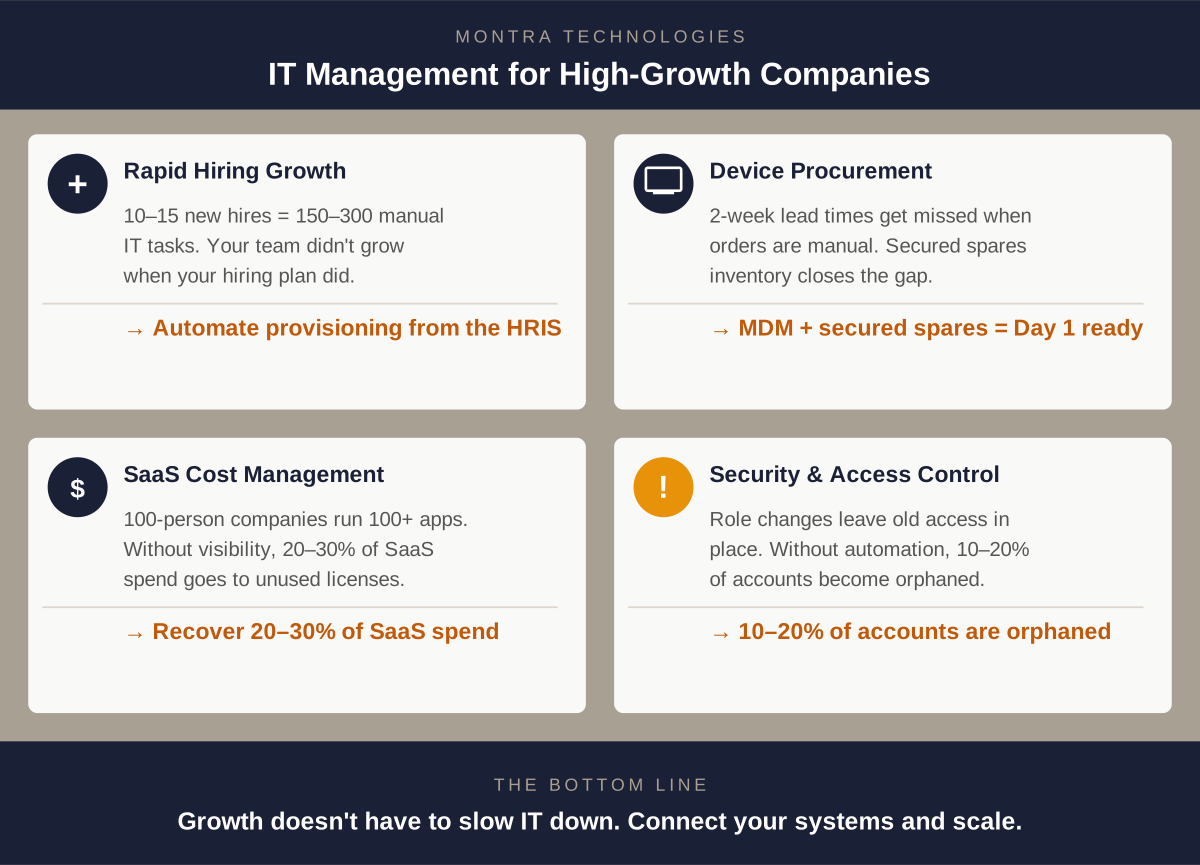
Manual IT onboarding is a fixed-labor process: each new hire requires someone in IT to create accounts, assign permissions, order a device, and verify access. When you're adding two or three people a month, that's manageable. When you're onboarding a cohort of ten or fifteen at once, you've created 150 to 300 individual manual actions that didn't exist last week, and your IT team didn't get bigger when your hiring plan did.
The companies that navigate rapid hiring without IT breaking down have one thing in common: provisioning is triggered by their HR system, not by a manual request. When a new hire record is created in the ATS or HRIS, it automatically kicks off account creation, license assignment, identity configuration, and device ordering with no IT staff executing each step manually. IT's job shifts from manually enforcing the standards to only reviewing the exceptions.
The result is Day 1 readiness at scale. The tenth new hire in a month takes the same IT labor as the first: almost none.The full cost breakdown of direct labor, lost productivity, error remediation, and security exposure is cover in The Real Cost of Manual IT Onboarding. For the specific failure patterns that show up during hiring surges, see Why IT Always Breaks During a Hiring Surge.
2. Accelerated Device Procurement and Deployment
Software provisioning can happen in seconds once it’s automated. Hardware can’t. A laptop still needs to be ordered, received, imaged with your security baseline, and shipped or handed off with a process that typically takes two weeks from purchase order to usable device.
That lead time is invisible during stable periods. During a growth phase, when hiring decisions are made fast and sometimes late, it becomes urgent. When someone submits a device request three days before a start date, the timeline doesn't work. The new hire arrives, borrows a colleague's machine, and spends their first week on hardware that isn't configured for them. That creates both a security and productivity problem.
Fast-growing companies solve this by automating the trigger. When the HRIS creates a new hire record, the device order is placed automatically instead of when someone remembers to file a ticket. Two weeks of lead time requires two weeks of notice. When the system handles the request, you always have it.
These lead times can be reduced significantly by maintaining an inventory of spare devices. Spares serve double duty: they cover new hires when procurement timing is tight, and they replace devices that are inevitably broken, lost, or stolen. But a spares program is only as good as the systems behind it. Devices in unsecured storage create their own risk as hardware can quietly "walk away." And without accurate counts tied to your device management platform, you won't know inventory is running low until someone needs a laptop and there isn't one.
The right setup is secured storage with real-time inventory visibility: serial numbers tracked, condition logged, and automated reorder thresholds so procurement happens before you run out, not after.
The other piece is deployment infrastructure. Companies managing 50 or more devices need a mobile device management (MDM) platform that pushes a standardized security configuration to any device automatically. Zero-touch enrollment means a new laptop can ship directly to a remote employee and configure itself on first boot with no IT hands required. At 100+ employees, this isn't a nice-to-have; it's the only way to maintain consistent security across a distributed, growing workforce.
The same infrastructure handles the full device lifecycle: warranty tracking, refresh schedules, and retrieval when someone leaves. Companies that manage this well don't lose track of $1,500 laptops during a period of high attrition.
3. Managing Growing SaaS Costs
The average 100-person company runs more than 100 SaaS applications. Companies growing from 50 to 150 employees often double their SaaS spend before anyone notices how much they're paying or whether the licenses are actually being used.
Manual SaaS management during a growth phase produces three predictable problems:
- Over-provisioning: everyone gets the premium tier because it's faster to grant broad access than to evaluate what each person actually needs.
- License accumulation: seats get purchased for new hires but never recovered when people leave or change roles.
- Shadow SaaS: departments move fast and buy tools without going through IT, creating a parallel software stack that finance and security don't know about.
For a 100-person company, the combination of unused licenses, over-provisioned tiers, and untracked applications typically represents 20 to 30 percent of total SaaS spend. These costs don't show up as waste in any single line item and don't get caught without active visibility.
The fix is visibility paired with automation. A SaaS management platform gives IT a single view of every application, every license, and actual usage data by user. When that's connected to your identity provider, license assignment and recovery happen automatically: access is granted when someone joins a role and recovered when they leave it. The question of "who actually needs the Salesforce Enterprise license" gets answered by usage data, not assumptions.
Growing companies that get SaaS management in place consistently find they can consolidate vendors, right-size tiers, and recover budget that gets redirected to tools people actually use.
4. Balancing Security and Access
Growth creates access sprawl. Not through negligence. It's the natural result of people changing roles, getting promoted, transferring departments, and leaving, all at a rate that outpaces manual access management.
The pattern looks like this: a new hire is provisioned with the access template for their role. Six months later, they're promoted. IT grants the additional access the new role requires. The previous role's access stays in place, because removing it wasn't part of the ticket. A year later, they're managing a cross-functional team and have accumulated access from three different roles some of which they haven't touched in months.
When that person eventually leaves, the deprovisioning request covers whatever anyone still remembers they had. The rest lingers.
This is how companies in rapid growth mode end up with significant over-provisioning and active credentials belonging to people who left months ago. The industry benchmark puts orphaned accounts at 10 to 20 percent of SaaS application instances at companies without automated deprovisioning. In regulated environments like healthcare, financial services, and government contracting, that's not just a security risk, it's a compliance exposure that shows up in audits.
Fast-growing companies that manage this well implement role-based access control (RBAC) enforced at the system level, not just as a guideline. Access templates define exactly what each role gets. Promotions and transfers trigger a role change in the HRIS, which automatically adjusts access removing what the previous role required and granting what the new role needs. Departures trigger immediate, cross-application deprovisioning.
The companies that have this infrastructure in place stop dreading security audits, because the audit trail is generated automatically and access always reflects current reality.
What This Looks Like as a System
These four challenges: hiring at scale, device deployment, SaaS cost management, and access control, aren't separate problems. They're interconnected symptoms of the same underlying issue: IT processes built for a smaller organization that haven't kept pace with complexity of the business.
The fix isn't hiring more IT staff. It's connecting your IT systems to your business systems like the HRIS and ATS, so that routine work happens automatically and your team focuses on decisions that require human judgment.
Montra built the Via platform to solve exactly this for mid-market companies in real growth phases. Via connects to your ATS, HRIS, identity provider, MDM, and ticketing system, to automate the full employee IT lifecycle: onboarding, device management, SaaS access, and offboarding, from a single platform. When your HR system adds a person, Via handles everything downstream. When HR removes them, Via handles that too.
For Atlanta companies on a growth trajectory, whether you're adding 20 people a year or 200, Via is how IT stays ahead of the org chart instead of falling behind it.
Ready to see what this looks like for your organization? We're happy to walk you through it.
Montra Technologies is an Atlanta-based managed IT and automation company. We help mid-market organizations manage workforce technology, device lifecycle, SaaS access, and security compliance through the Via platform and services built for scale. Named to the Inc. 5000 two consecutive years and recognized multiple times by Channel Futures as an MSP 501 company.