How Hybrid Work is Affecting Remote IT Management: A Crash Course

As the world continues to adapt to the changing landscape of work, the concept of hybrid work has emerged as a popular model for many organizations. Hybrid work combines elements of remote work and in-person collaboration, allowing employees to have flexibility while also maintaining some level of face-to-face interaction. While this shift has brought numerous benefits, it has also presented unique challenges for IT management. In this post, we will explore the various ways hybrid work has impacted remote IT management and discuss strategies to navigate this new working model.

In a remote-only work environment, IT management was more focused on ensuring remote team members had the infrastructure, technology, and tools needed to do their jobs effectively. However, as we continue to transition into a hybrid work environment where some team members are working on-site while others are working remotely, IT management must ensure that the hybridity doesn’t cause communication or collaboration issues.

There are a few areas of IT Management concern that need to be addressed in good hybrid IT Management:

1.   Loss of Control of Digital Assets

One of the significant impacts of hybrid work on IT management is the loss of control over digital assets. With teams working remotely and often using their own devices, IT managers are faced with the challenge of ensuring the security and integrity of company data. According to a recent study by Gartner, 70% of IT leaders reported a decrease in control over digital assets since the implementation of hybrid work. This loss of control requires IT managers to implement robust security measures, such as multi-factor authentication and encryption, to safeguard sensitive information.

The solution to this is to implement strict and comprehensive access protocols that ensure only authorized users can get to the sensitive data. Multi-factor authentication, least privilege access, and data loss prevention tactics are some of the ways to achieve this.

2.   Increase in Security Concerns

Alongside the loss of control over digital assets, hybrid work has led to an increase in security concerns. Remote employees may not be as cautious about cybersecurity best practices when working from home compared to when they are in the office. This opens up opportunities for cybercriminals to exploit vulnerabilities and launch attacks. A survey conducted by Cisco revealed that 68% of IT professionals observed an increase in security breaches since the transition to hybrid work. To address this challenge, IT managers must prioritize security awareness training, regularly update software and systems, and implement strong application access security protocols.

3.   Need for Efficient Communication

Effective communication has always been crucial in IT management, but the need for seamless communication has become even more critical in the era of hybrid work. Leaders must make sure they’re up-to-date with how team members are experiencing remote and on-site work and if they’re comfortable using technology tools. According to a survey conducted by Slack, 82% of IT professionals identified communication gaps as one of the top challenges in managing remote IT operations. To bridge these gaps, IT managers are leveraging collaboration tools, such as project management platforms, instant messaging apps, and video conferencing software, to facilitate efficient communication and ensure smooth workflow.

4.   Enhanced Infrastructure and Scalability Demands

Hybrid work has resulted in increased demands for infrastructure and scalability in remote IT management. As more employees work remotely, IT managers must ensure that the company’s infrastructure can handle the additional load and provide seamless access to necessary resources. A report by Forrester predicts that by 2025, organizations will spend $19 billion on technologies that enable remote work. This includes investments in cloud-based solutions, virtual private networks (VPNs), and scalable IT systems. IT managers need to proactively assess and upgrade their infrastructure to meet the evolving needs of hybrid work.

5.   Effective Remote Support

In a hybrid work environment, remote IT management also needs to ensure that there is a standardized support system in place to guarantee that remote and on-site employees receive quick IT assistance and support. This calls for a mechanism in place that can field and handle IT-related requests regardless of whether the employee who is facing the issue is working remotely or on-site. A helpdesk system can be an excellent solution. Robust helpdesk software that’s equipped with chat and email functionality should suffice.

There’s no denying that hybrid work is transforming the way businesses operate. In addition to its many benefits, it brings significant challenges that businesses must solve to thrive in a hybrid work environment. IT managers must navigate the loss of control over digital assets, address heightened security concerns, prioritize efficient communication, and meet enhanced infrastructure demands. By implementing proactive strategies and leveraging appropriate technologies, organizations can effectively manage their IT operations in the new era of hybrid work. Embracing these changes will not only ensure productivity and security but also foster a collaborative and flexible work environment for employees.

Here are the references for the information mentioned in the post:

Gartner Study

Gartner. (2022). Hybrid Work and the Future of Work. [Online]. Available: https://www.gartner.com/en/human-resources/insights/hybrid-work-and-the-future-of-work

Cisco Survey

Cisco. (2021). Future of Secure Remote Work. [Online]. Available: https://www.cisco.com/c/en/us/products/security/future-secure-remote-work-survey.html

Slack Survey

Slack. (2021). Remote Work in the New Normal. [Online]. Available: https://slack.com/resources/remote-work-trends-download

Forrester Report

Forrester. (2021). The Future of Work Infrastructure. [Online]. Available: https://www.forrester.com/report/The+Future+Of+Work+Infrastructure/-/E-RES166973


Montra Releases Notable Updates To Its IT Management Platform

Montra Releases Notable Updates To Its IT Management Platform

Workforce Management, Asset Management, Advanced Filtering Features Give Users More Productivity Options

ATLANTAJuly 19, 2023PRLog – Montra, the leader in IT management-as-a-service, announces today updates to its award-winning platform, providing customers with improved navigation and an increased breadth of available features. Advanced filtering is now available across all parts of the Montra platform, allowing users to define advanced multi-factor filters that provide quick, customized data retrieval for easier reporting. Additional updates include:

Workforce Management

With a simplified user interface and automated presets, the onboarding process is more productive and flexible than ever, providing an improved employee experience. New hire types are available (sales, software development, finance, etc.) and roles and IT rights are more defined, giving greater security options for hiring managers and IT administration. Other updates include:

  • Workforce team member profiles in the directory now include assigned assets and licenses detail.
  • SaaS Application License Management: Tenant Admins can now setup their applications from a set of pre-defined SaaS application licenses (e.g., Microsoft 365, Adobe Creative Cloud, Dropbox, etc.)
  • A new interface to view license usage and add or remove user licenses.

“We listened to our customers and developed additional options that meet specific needs in today’s market. Research has shown that a strong onboarding process improves new hire retention by up to 82 percent,” says Scott Ryan, CEO, Montra.

Asset Management

As the workplace evolves and more people and processes are remote, managing devices has never been more critical — or challenging. Montra’s asset management tools now include the ability to view individual asset details, including asset assignment histories, and show all asset types over the entire platform, including spare or returned devices. Additionally, devices can be configured with user assignment, asset type, conditions and other qualifiers for more advanced tracking and management.

“The Montra platform is critical to our business. We use Montra as a source of truth for our customer asset information,” says Colby Adamson, COO North America, Pixellot, “These additional asset management features will make it even easier for us to manage our ever-expanding fleet of devices, saving us money and time.”

About Montra Technologies

Montra is the leader in IT Management-as-a-Service which provides advanced remote IT management for today’s workplace. Montra is trusted by some of the world’s most recognizable brands. Montra’s platform is directly integrated with our customers’ other software for seamless, efficient, automated tracking of devices, regardless of location. Headquartered in Atlanta, Georgia, the company was founded by industry experts with decades of technology leadership. Recognized by Channel Futures as an MSP to Watch and listed on the Inc. 5000, Montra is a proud member of the ATDC at Georgia Tech. For more information visit Montra’s website or connect with us on LinkedIn or Twitter.

Leveraging Technology to Enhance IT Onboarding

Employee onboarding is a crucial process for any organization, and it’s especially important for the information technology (IT) department. If done correctly, onboarding can help new employees feel comfortable and confident in their roles and increase retention rates. However, onboarding is often a lengthy and complex process, and without the proper tools and resources, it can be difficult to get new hires up to speed quickly. Fortunately, technology can help streamline the onboarding process and make it more efficient, effective, and enjoyable for everyone involved.

In this post, we’ll explore how organizations can leverage technology to improve their IT onboarding process. Whether you’re a CIO, COO, CHRO, or IT Director, you’ll learn about the latest tools and strategies that can help you onboard new hires more effectively and quickly.  

Effective Onboard Stat

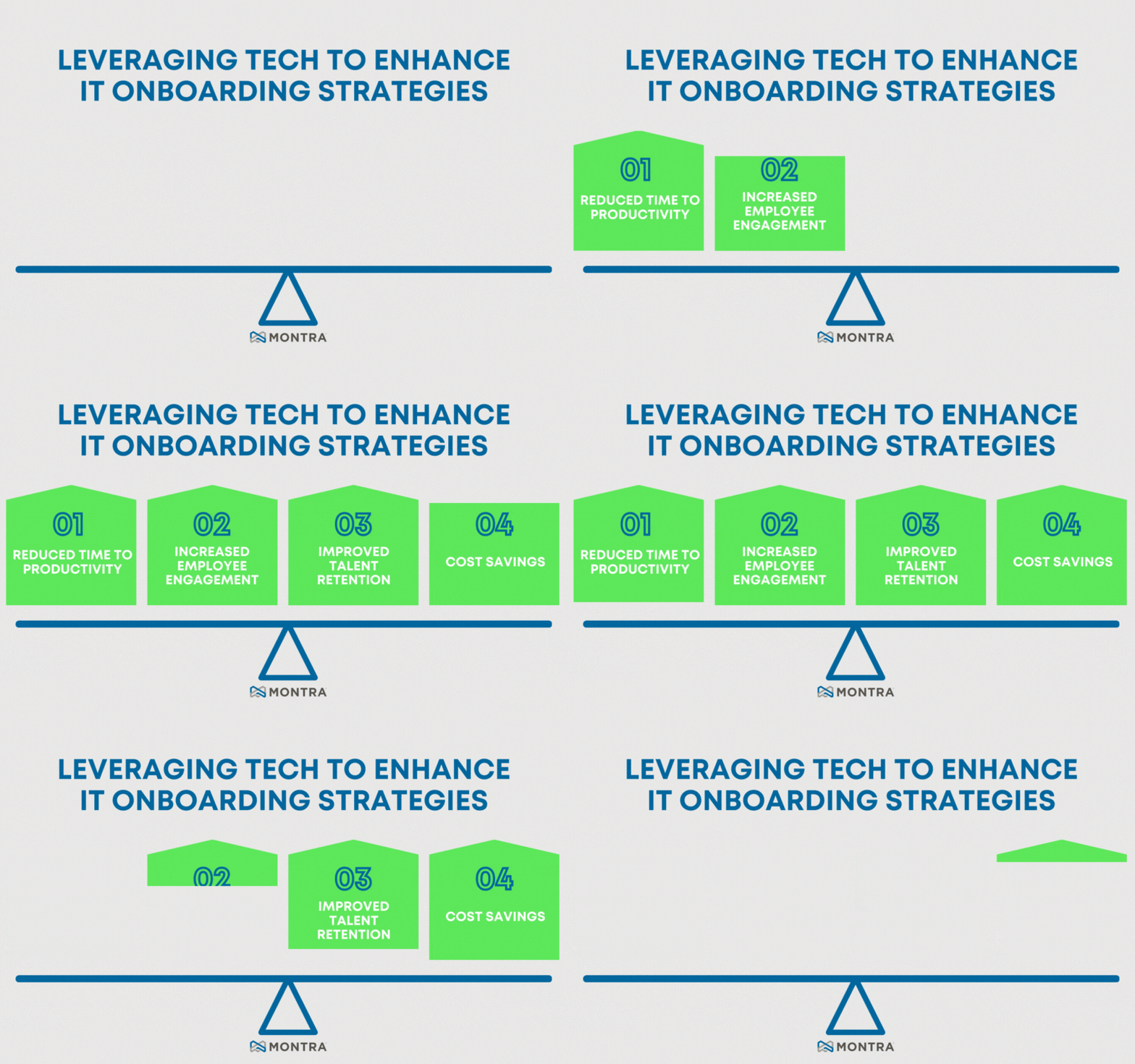
Applying better technology to the IT onboarding can improve the process in four distinct ways:

1.     Reduced Time To Productivity

A study by Aberdeen Group found that an effective onboarding program can improve new hire time-to-productivity by 60% and reduce turnover by 50%. By using technology such as automation software and remote support, companies can speed up the onboarding process and get new employees up to speed faster.

2.     Increased Employee Engagement

A study conducted by Glassdoor found that effective onboarding processes led to higher employee engagement levels, which in turn led to higher productivity and lower turnover rates. By directly connecting HR onboarding software to IT onboarding software, companies can create a faster and more effective onboarding experience for new employees.

3.     Improved Talent Retention

According to the Society of Human Resource Management (SHRM), effective onboarding can improve new hire retention by up to 25%. By using technology to streamline the onboarding process, companies can reduce the risk of new employees feeling overwhelmed or frustrated, which can lead to a higher rate of retention.

4.     Cost Savings

A survey by CareerBuilder found that the average cost of a bad hire is $14,900. By removing manual work through checklist and spreadsheets, companies can reduce the cost associated with the onboarding process. While no companies want to make a bad hire, reducing the costs associated with good hires or bad hires improves the company’s talent retention program overall

A tool that can help improve the IT onboarding process is automation software. Automation software can take over repetitive onboarding tasks such as provisioning new accounts, procuring new devices, configuring access to multiple SaaS applications, and assigning permissions to all those apps. By automating these tasks, companies can reduce errors and speed up the onboarding process, allowing new employees to become effective faster.

Montra is the innovator of “IT Management as a Service”, and Montra’s platform provides automation to help improve the IT onboarding process. With Montra, organizations can develop standard onboarding profiles that automate account and group creation while providing a centralized view of the location and assignment of all a company’s devices. Montra has helped companies streamline their IT onboarding process from weeks to hours, reducing the time and effort required to get a new employee fully effective.

In conclusion, technology can help make the IT onboarding process more efficient and effective, reducing the time and effort required to set up new employees while improving their understanding and engagement with the company. By using tools such as Montra or other automation software, companies can streamline IT onboarding, reducing errors, and improving productivity while improving the satisfaction of new employees. Ultimately, improving the IT onboarding process can have significant benefits for the company, its employees, and the bottom line.

Leverage Tech to Enhance IT Diag

References:

Aberdeen Group. (2013). Onboarding 2013: A New Look at New Hires. Retrieved from https://www.aberdeen.com/research/8777/rr-onboarding-new-hires/content.aspx

Glassdoor. (2015). The True Cost of a Bad Hire. Retrieved from https://www.glassdoor.com/employers/blog/the-true-cost-of-a-bad-hire/

Society for Human Resource Management. (2017). Onboarding New Employees: Maximizing Success. Retrieved from https://www.shrm.org/resourcesandtools/tools-and-samples/toolkits/pages/onboardingnewemployees.aspx

CareerBuilder. (2017). The Real Cost of a Bad Hire. Retrieved from https://www.careerbuilder.com/advice/the-real-cost-of-a-bad-hire

Montra Expands Customer Base with Addition of Discovery Storage

Montra Expands Customer Base with Addition of Discovery Storage

Next-gen Self-Storage Facility Operator Gets Nationwide Coverage with Montra’s Remote IT Management Platform

ATLANTA (June 20, 2023) — Montra, the leader in IT management-as-a-service, announces today it has signed Discovery Storage as a new customer, handling the company’s distributed IT management needs.

“We needed a single nationwide partner to design, rollout, and manage all our properties’ technology assets across all our locations. Montra was the right choice and they have been instrumental in keeping our devices secure, while cutting our IT management time and cost,” says Dan McCoy, Co-founder and Managing Partner, Discovery Storage. “Montra helps us keep the advanced technology in our properties working securely so our on-site staff can focus on delivering great service to our customers.”

By staging, pre-configuring network gear, and assisting the onsite installers, Montra set up all of Discovery Storage’s systems remotely without the cost of flying specialists to every location. Montra’s ongoing monitoring enables proactive response to find and fix issues as they arise. If needed, Montra’s software manages the process of returning systems for repair or replacement, providing Discovery Storage’s management visibility through the entire process.

“We are proud to work with Discovery Storage and look forward to growing our partnership as they expand across North America,” says Scott Ryan, CEO, Montra. “Whether you are onboarding remote employees or deploying devices into remote locations, our software manages the workflows to get people productive and devices secure quickly and efficiently.”

About Montra

Montra is the leader in IT Management-as-a-Service which provides advanced remote IT management for today’s workplace. Montra is trusted by some of the world’s most recognizable brands which use our innovative platform to provide exceptional service automation and responsiveness. Montra’s platform is directly integrated with our customers’ other software for seamless, efficient, automated tracking of devices, regardless of location. Headquartered in Atlanta, Georgia, the company was founded by industry experts with decades of technology leadership. Recognized by Channel Futures as an MSP to Watch and listed on the Inc. 5000, Montra is a proud member of the ATDC at Georgia Tech. For more information visit www.montra.io or connect with us on LinkedIn or Twitter.


Mastering IT Logistics Management: 5 Things Retailers’ IT Asset Tracking System Should Deliver

IT asset management for the retail industry allows for tighter security and gives retailers a comprehensive understanding of their assets to make informed decisions. Scott Ryan presents several requirements that must be met when considering a tracking solution for your business. Read this article published on Retail Info Systems’ News site – Mastering IT Logistics Management: 5 Things Retailers’ IT Asset Tracking System Should Deliver. 

https://rb.gy/bxua7

Mastering IT Management