Checklist for IT Employee Offboarding
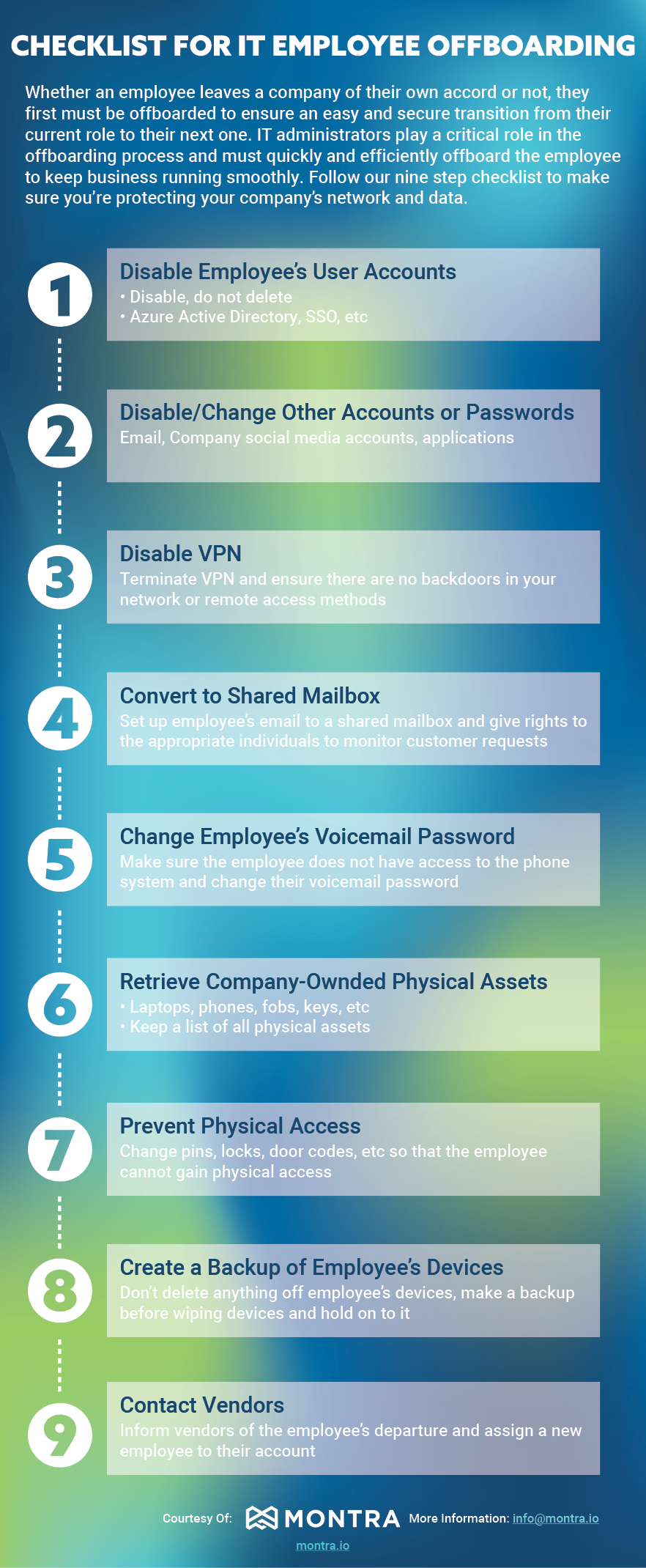
Whether an employee leaves a company of their own accord or not, they first must be offboarded to ensure an easy and secure transition from their current role to their next one. IT administrators play a critical role in the offboarding process and must quickly and efficiently off-board the employee to keep business running smoothly. Follow our nine-step checklist to make sure you’re protecting your company’s network and data.
The Montra IT Employee Offboarding Checklist
Whether an employee leaves voluntarily or not, IT administrators must quickly and efficiently offboard them to keep business running smoothly and data secure. Follow these nine steps:
- Disable Employee's User Accounts — Disable, do not delete. This includes Azure Active Directory, SSO, email, company social media accounts, and applications.
- Disable VPN — Terminate VPN access and ensure there are no backdoors remaining in your network or remote access methods.
- Convert to Shared Mailbox — Set up the employee's email as a shared mailbox and assign appropriate individuals rights to monitor incoming customer requests.
- Change Employee's Voicemail Password — Ensure the employee no longer has access to the phone system and change their voicemail password.
- Retrieve Company-Owned Physical Assets — Collect laptops, phones, fobs, keys, and any other physical assets. Keep a running list of all items.
- Prevent Physical Access — Change pins, locks, and door codes so the employee cannot gain physical access to your facilities.
- Create a Backup of Employee's Devices — Do not delete anything off the employee's devices. Make a full backup before wiping and retain it.
- Disable or Change Other Accounts or Passwords — Address any remaining accounts or passwords not covered in earlier steps.
- Contact Vendors — Inform vendors of the employee's departure and assign a new employee to manage those relationships.